
PHOXfor WHMCS
WHMCS Client Theme
Now available as a standalone WHMCS product

The Next Generation Hosting Theme

Unlock the power of our WHMCS Template, offering a customizable Order Form, intuitive Page Manager, and versatile Menu Manager. Explore diverse layouts tailored to your needs for a seamless experience.

Checkout is not configured for this product yet.
Live Demo

First year is $39, then $29 / year on every renewal.

  • 3K+ websites built
  • 4.8 / 5 customer rating
  • 1 year of updates & support
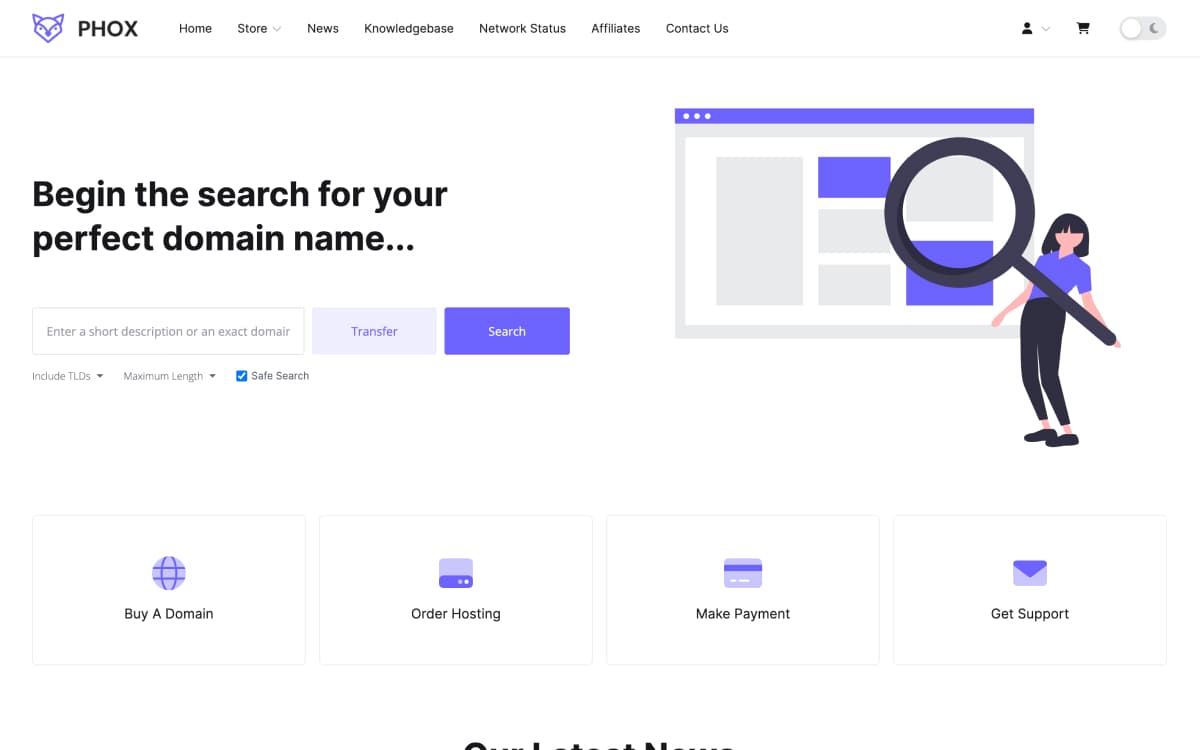
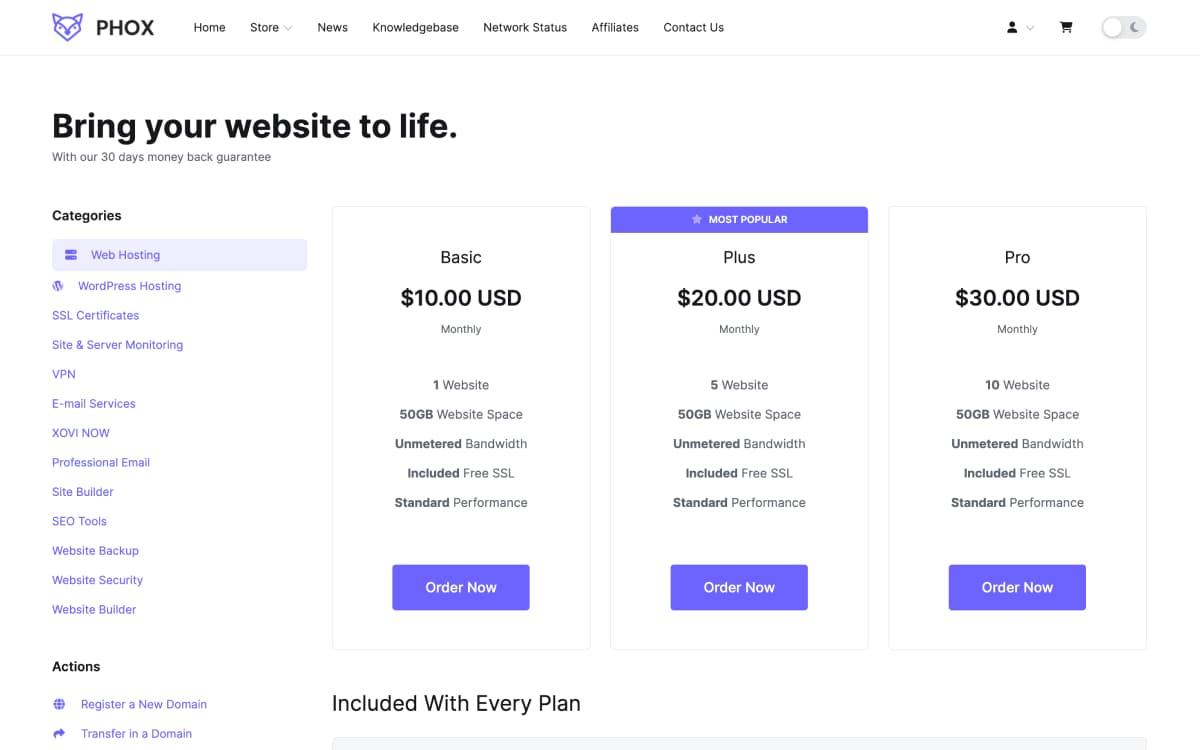
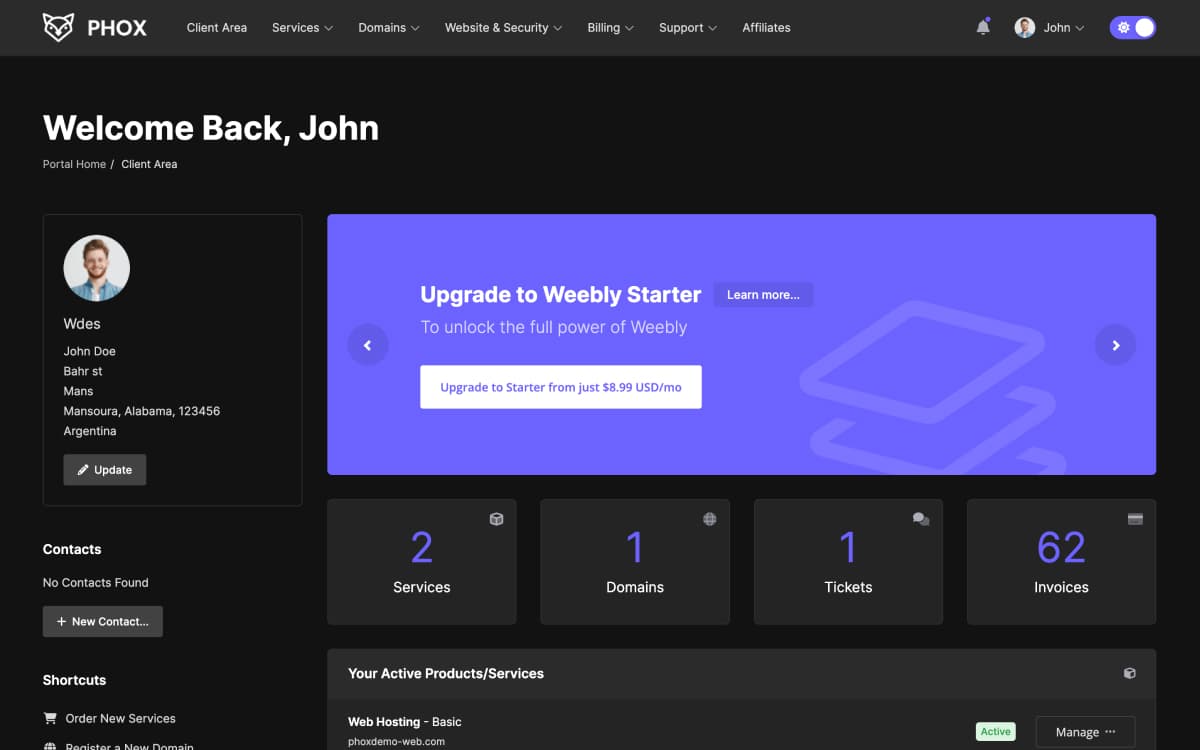
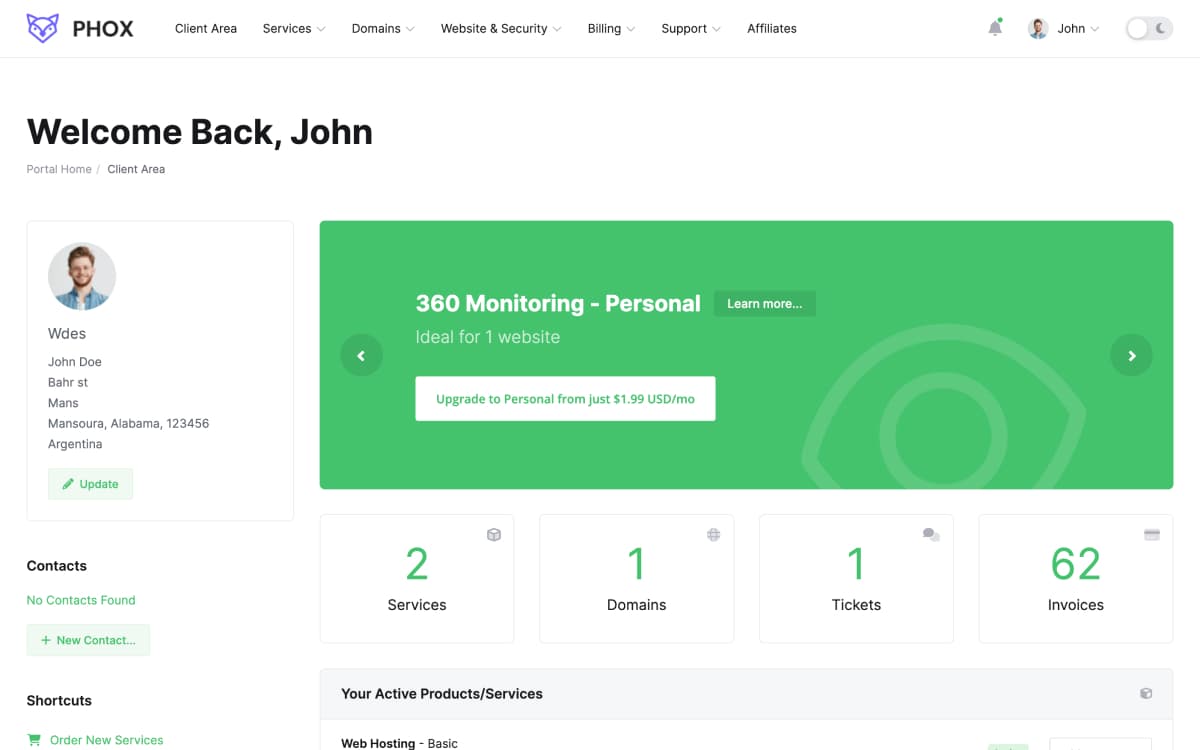
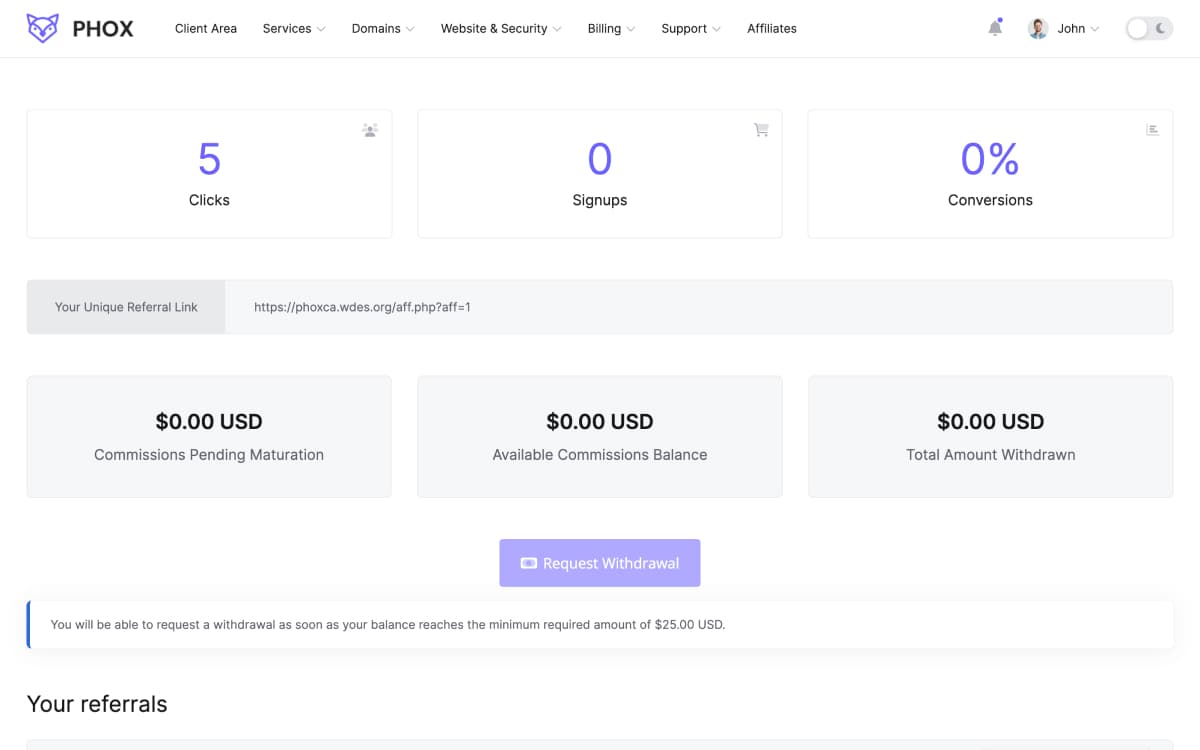
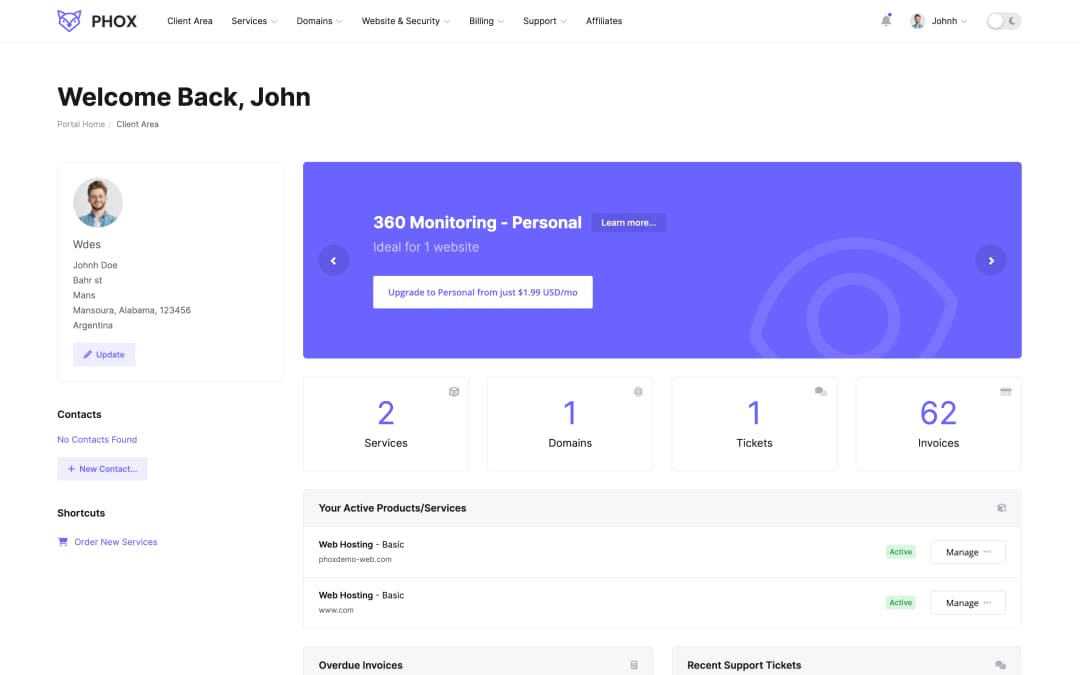
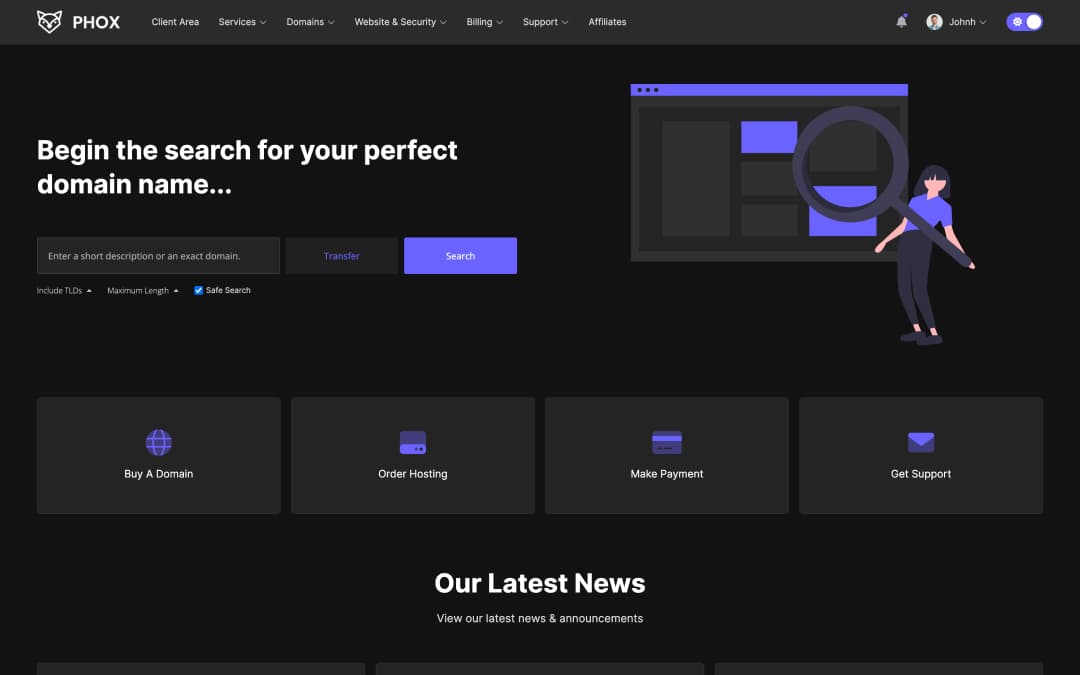
Phox client area homepagePhox order formPhox client area in dark mode
Client Area

Every WHMCS page, redesigned

From the first login to the last invoice, your customers get one consistent experience. Here are the pages they visit most — open any of them for a closer look.

Want to see every page?Services, domains, billing, support and more — click through the whole client area in the live demo.
Explore the Live Demo (opens in a new tab)
Built-in Managers

Run your whole client area from one addon

Everything lives under Addons › Phox WHMCS Template. Change colors, layouts, pages and menus in a few clicks, and keep your changes safe through every update.

01 · Color Schemes

5+ color schemes ready to apply

Choose from five pre-designed packs — Purple, Green, Orange, Red and Blue — or customize your own color scheme with ease, then pick the font family. More packs are coming soon.

02 · Styles

Change the whole look with one style setting

Switch between the Default style and Soft Contrast, a gentler look with tinted surfaces. Styles work with any color scheme, so you can set the mood of your client area without touching code.

Style
Phox Default style
03 · Layout Manager

3+ variety in layouts

Choose from three pre-designed layouts: Default, Minimized Sidebar and Full Sidebar. Layout Manager lets you create and customize diverse client area layouts to meet even the most demanding requirements.

Phox Default layout
04 · Light & Dark

A dark mode your customers switch on themselves

Every Phox client area page comes in a light and a dark version. Customers flip between them from the switch in the header, and their choice is remembered on their next visit. Both modes follow your color scheme, RTL and mobile layouts.

  • Light & dark mode
  • RTL ready
  • Mobile ready
Mode
Phox client area in Dark mode
05 · Page Manager

Set a template and SEO tags for each page

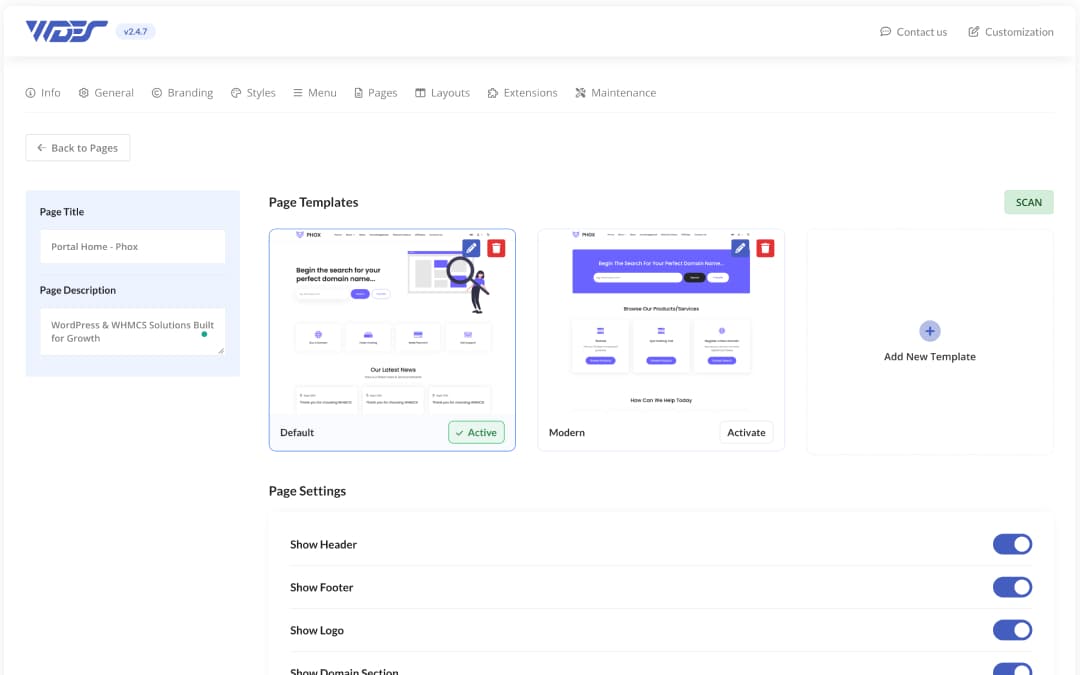
Empower yourself with Page Manager. Configure page settings, select templates, and assign basic SEO tags effortlessly. Enjoy complete freedom to create custom templates or page overwrites tailored to your needs.

Phox Page Manager in the WHMCS admin
06 · Menu Manager

Create and arrange menu items without technical know-how

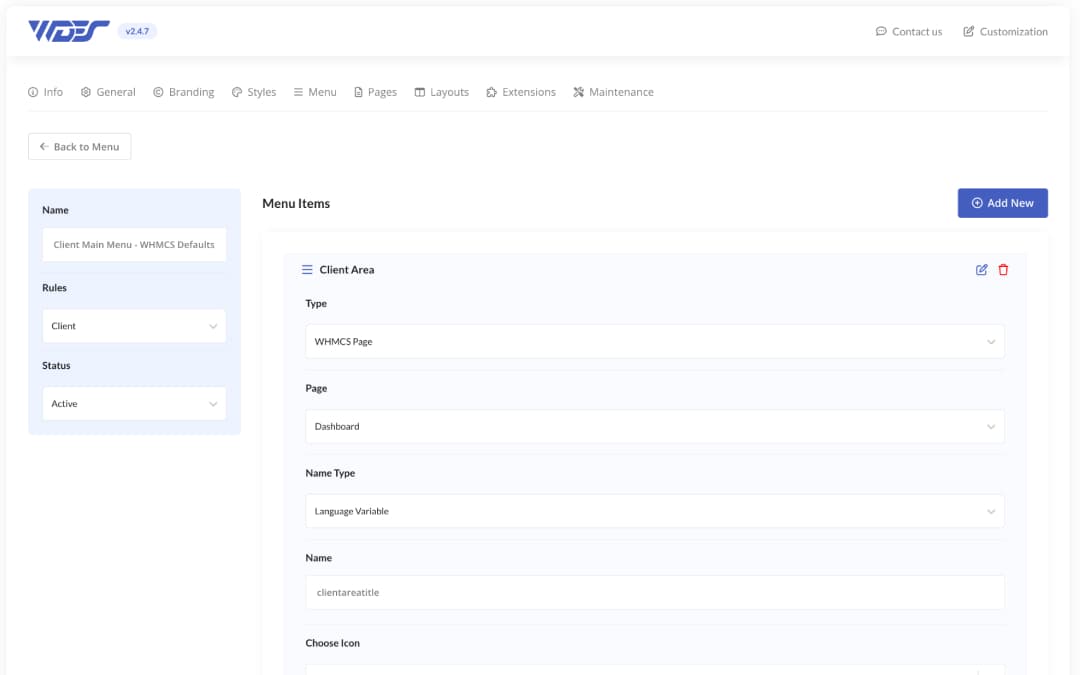
Say goodbye to complex WHMCS hooks for theme navigation modifications. Menu Manager offers a hassle-free solution, allowing you to effortlessly set up menu items directly from the WHMCS addon.

Phox Menu Manager in the WHMCS admin
Customization

Customize deeper, update without fear

Phox is made of small elements you can safely overwrite. Future Phox updates will not remove your changes, so there is no need for a WHMCS child theme.

Overwrite Templates

Overwrite any client theme template file with your own version. Updates will not touch your overrides.

Read the guide →

Custom Header

Replace the header with your own markup using the documented functions, safely and update-proof.

Read the guide →

Custom Footer

Build your own footer the same way, without editing core theme files.

Read the guide →

No Child Theme Needed

Phox has the functionality to overwrite all theme files, so WHMCS child themes are not required.

Read the guide →

Branding

Set your logo and favicon from the Branding tab. Phox creates every icon size used by browsers and devices.

Read the guide →

Simple Install & Updates

Upload the files, activate the addon and you are live. Updating follows the same short steps.

Read the guide →
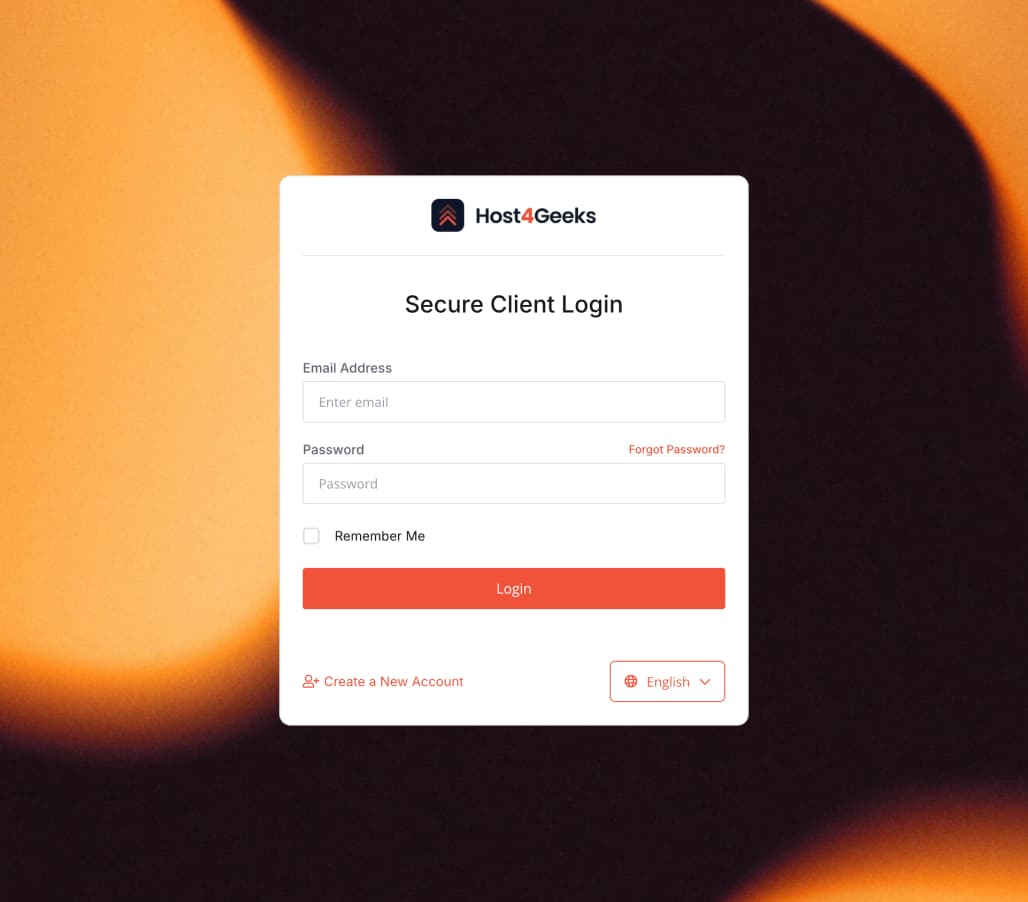
Host4Geeks client area
Latest Success StoryCustom client area
Host4GeeksWeb hosting provider · Since 2010

A custom WHMCS client area built on Phox

“Wdes built us a client area that finally looks as good as the service behind it. They understood exactly what we needed, kept us updated at every step and handled every detail with care. We couldn’t be happier with the result.”
— Kushal, CEO of Host4Geeks
Rated 4.8 of 5

What our customers say about Phox?

5 Star Rated Theme

Purchase Phox
★★★★★
“Good services, product looks amazing. Really nice theme. Keep up the good work.”
AD ComputerWHMCS Marketplace
★★★★★
“Amazing website theme has been my #1 theme for the year, definitely would recommend using this.”
Lewis TaylorWHMCS Marketplace
★★★★★
“This theme is amazing good. It is so clean, its fast, it is dead easy to use. The mobile responsiveness is fantastic. Support is always great and attentive. You cannot go wrong with this theme!”
mrbrodie94Envato Market User
Extensions

Extend Phox as you grow

Add-on extensions built exclusively for Phox WHMCS Client Theme. Each one installs into the same addon panel and follows your Phox style automatically.

email template — preview

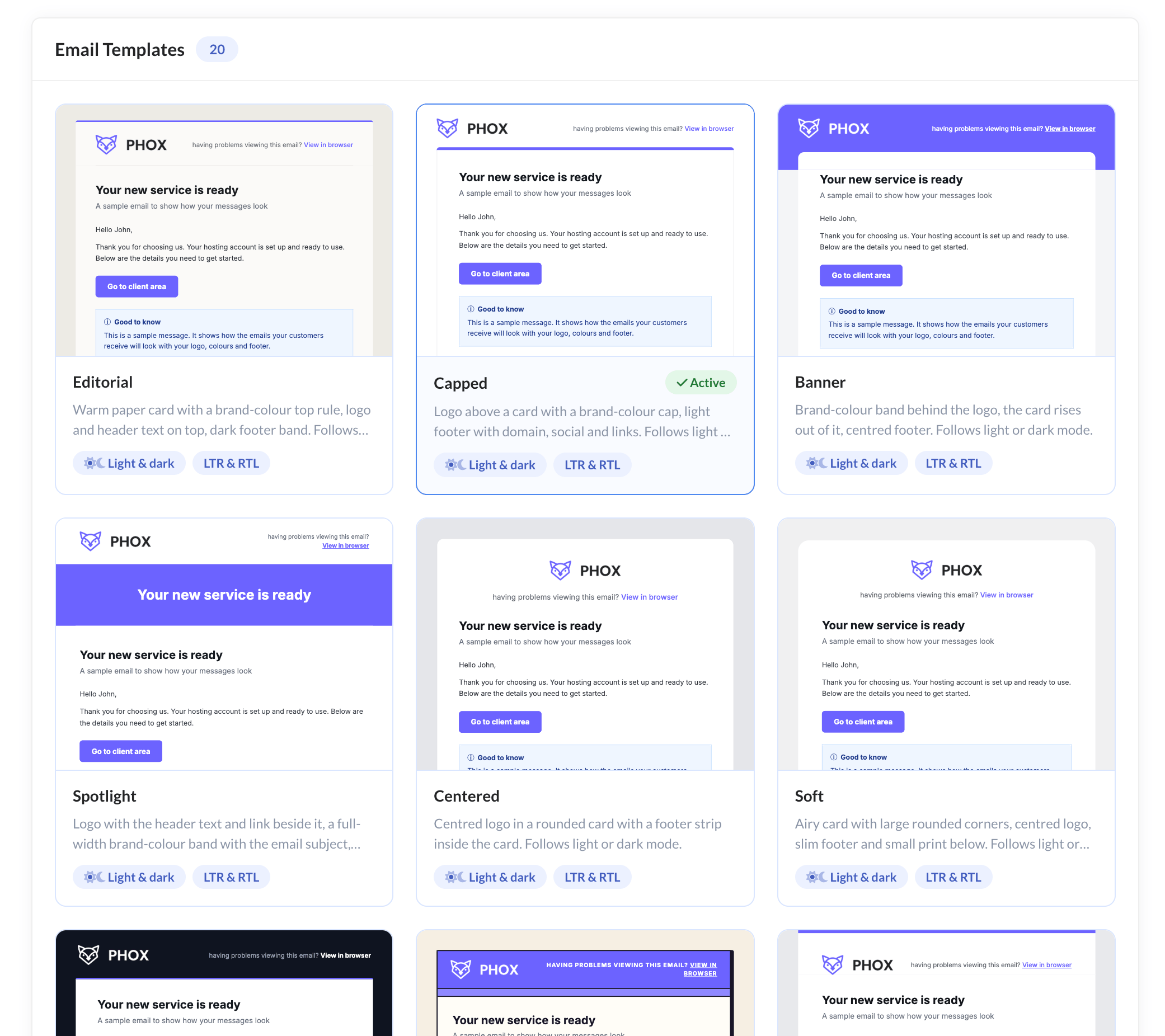
20 email templates and 20 pre-defined messages in light and dark mode, styled by Phox Style Manager.

View ExtensionDocsfrom $20 / year
sensitive data — preview

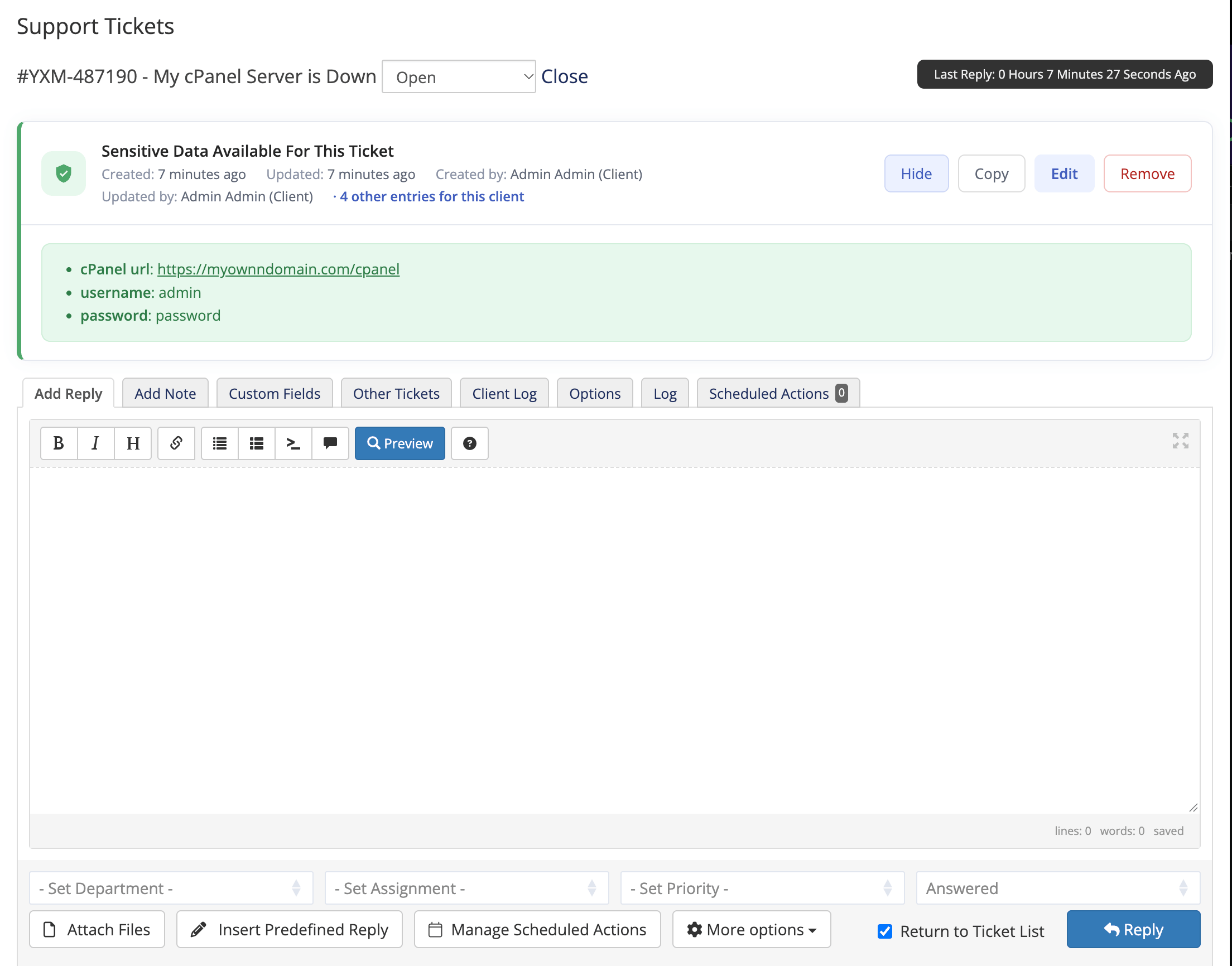
Customers share passwords and confidential details right in their support tickets. Every entry is encrypted and locked behind staff permissions.

View ExtensionDocsfrom $20 / year
support hours — preview

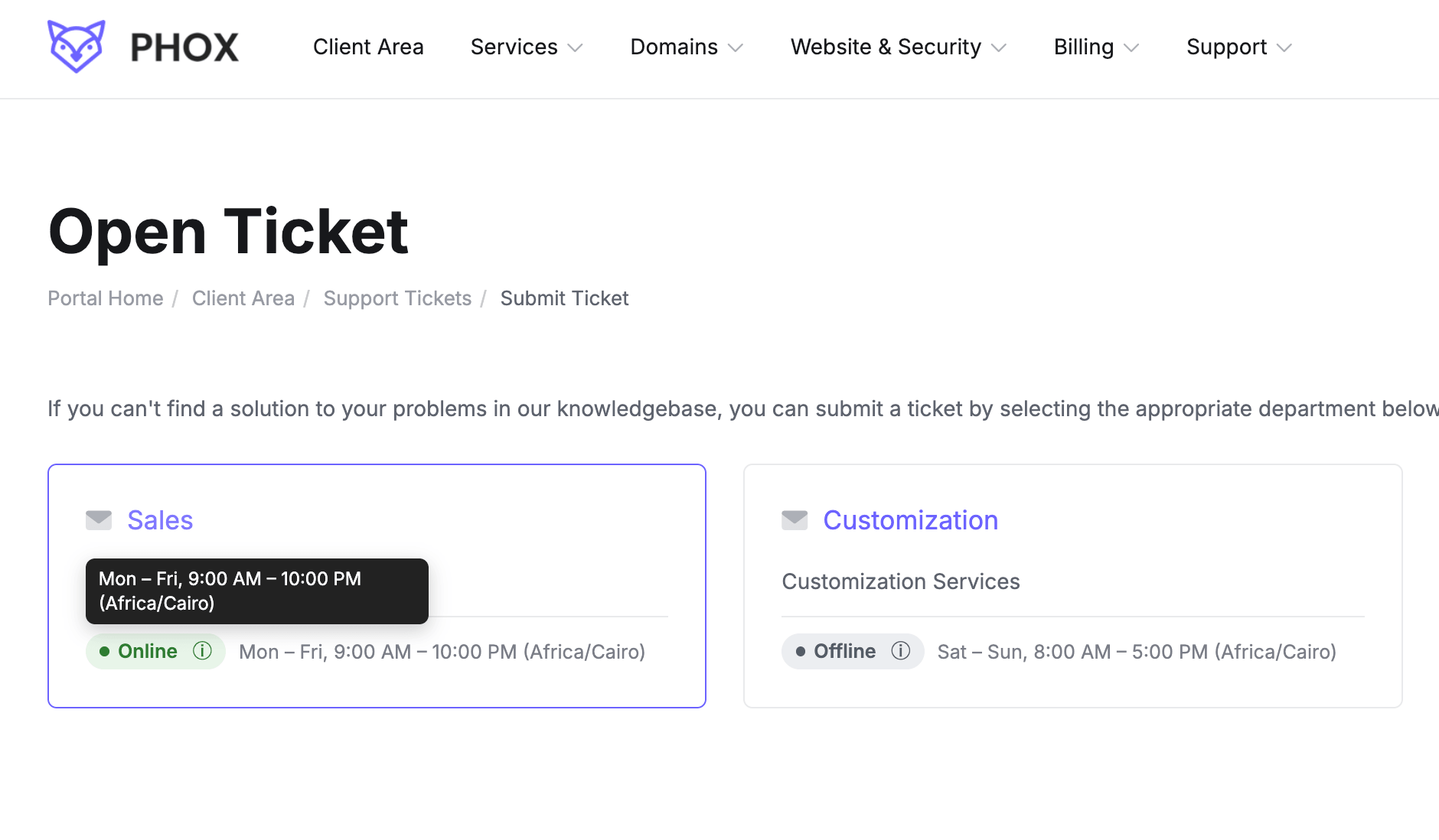
Show your support team’s working hours in the client area so customers know when to expect a reply.

View ExtensionDocsfrom $20 / year
pages templates — preview

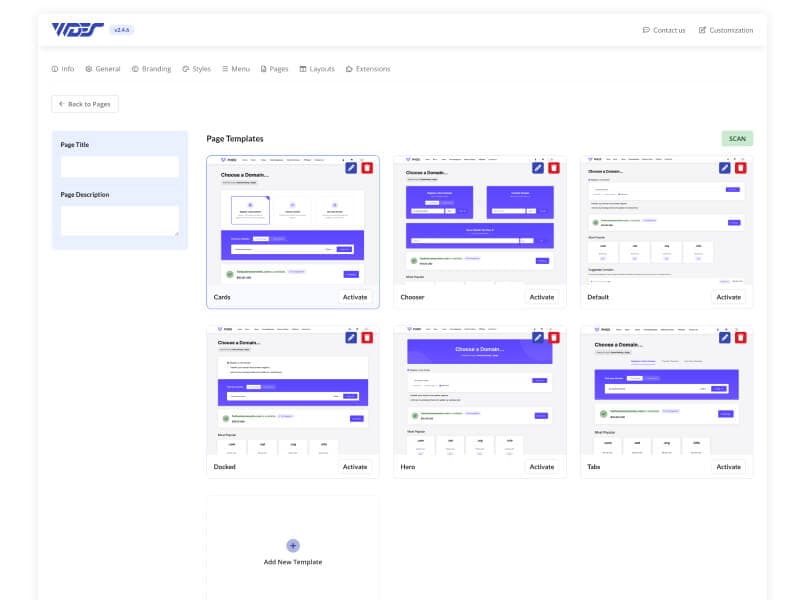
Install ready-made page templates into your client area in a few clicks, and deactivate them just as easily.

View ExtensionDocsfrom $20 / year

All extensions require Phox WHMCS Client Theme to be installed and activated.

Pricing

Phox WHMCS Client Theme

One license for one WHMCS installation, with all four managers included. Extensions are sold separately, so you only pay for what you use.

Instant downloadNo child theme neededSupport included
$29/ year

First year is $39 — every year after that renews at the $29 above.

Style, Page, Menu & Layout Managers
Light & dark mode, RTL and mobile layouts
Updates and support for one year
One WHMCS installation
Step-by-step docs for setup and updates
Checkout is not configured for this product yet.
FAQ

Frequently Asked Questions

Yes. Phox WHMCS Client Theme is its own product. It works on its own and does not require WordPress.

No, and it does not need to. Phox WHMCS Client Theme can overwrite all theme files, so your changes stay safe through updates.

No. Phox extensions require Phox WHMCS Client Theme to be installed and activated on your WHMCS server.

One WHMCS installation per license. Additional licenses can be added to the same account.

Yes, of course. You can disable automatic renewal for any Phox product, so renewal invoices will no longer be created.

Yes, the yearly renewal gives you access to the latest product versions and technical support. You can keep using our products even if the renewal invoice is not paid!

Yes, of course. You can customize our items to fit the needs of your end product.

Browse the client area pages and managers first. If the theme does not work on a supported WHMCS install, contact support within 14 days.

WordPressAlso from Phox

Need a website to match? Get Phox for WordPress.

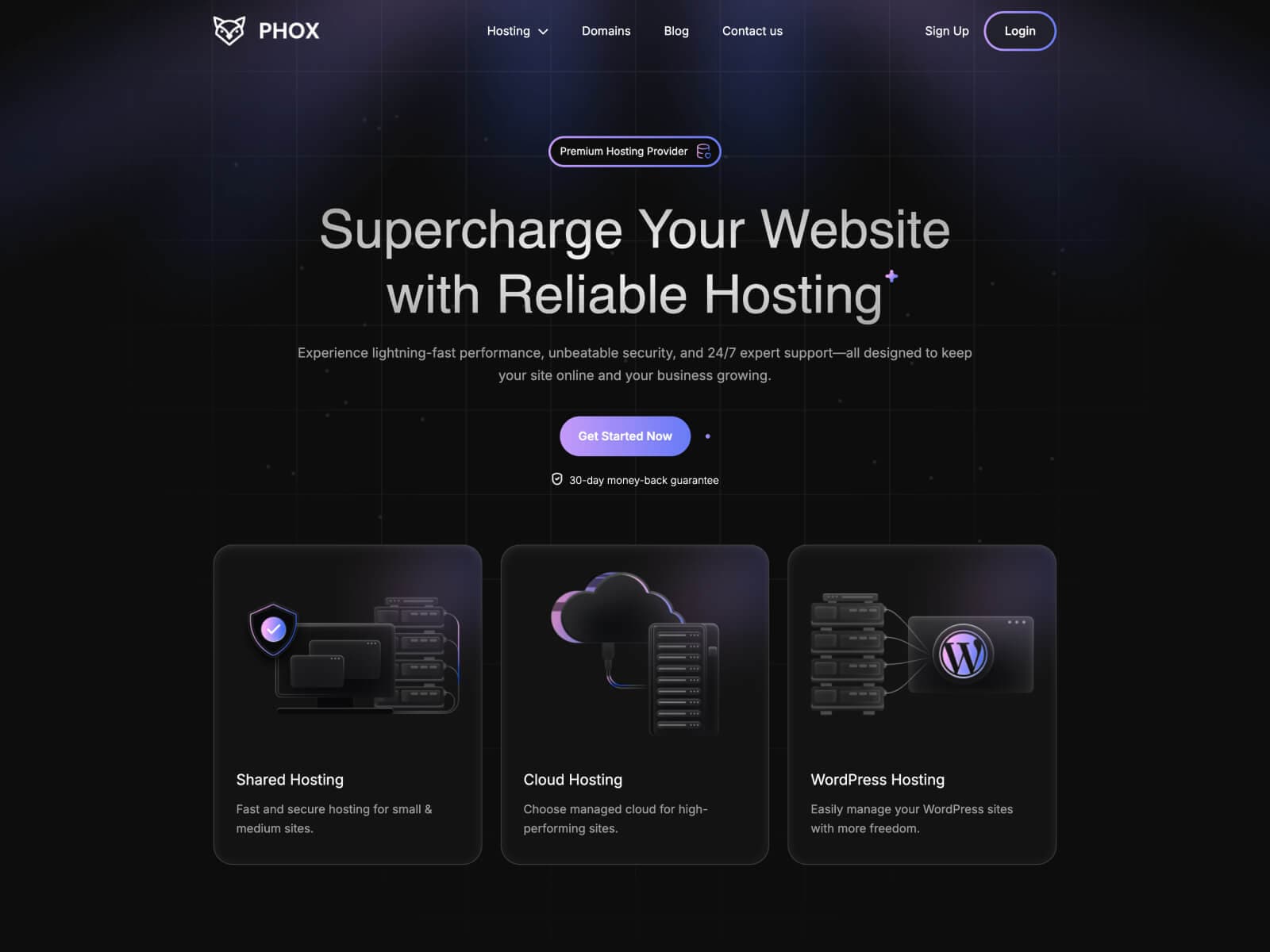
Build your hosting website with the same Phox look. Start from 41+ ready-made demos, design every part with Elementor, and connect it to WHMCS everywhere — from domain search to checkout.

  • 41+ demos
  • AI domain generator
  • GoDaddy Reseller Store
  • Header builder
  • Footer builder
  • Mega menu builder
  • Popup builder
  • 30+ Elementor widgets
  • WPML & RTL
  • WHMCS integration
Phox for WordPress demos
Looking for a custom solution for your business?Feel free to contact us to establish project details.
Phox WHMCS Client ThemeClient theme for WHMCS
$29/yr$39 first year
Checkout is not configured for this product yet.